
Published: 9 September 2026. Last reviewed: 9 September 2026. This is an independent informational guide, not affiliated with the Government of Guinea. Verify requirements on the PAF Guinea portal (paf.gov.gn).
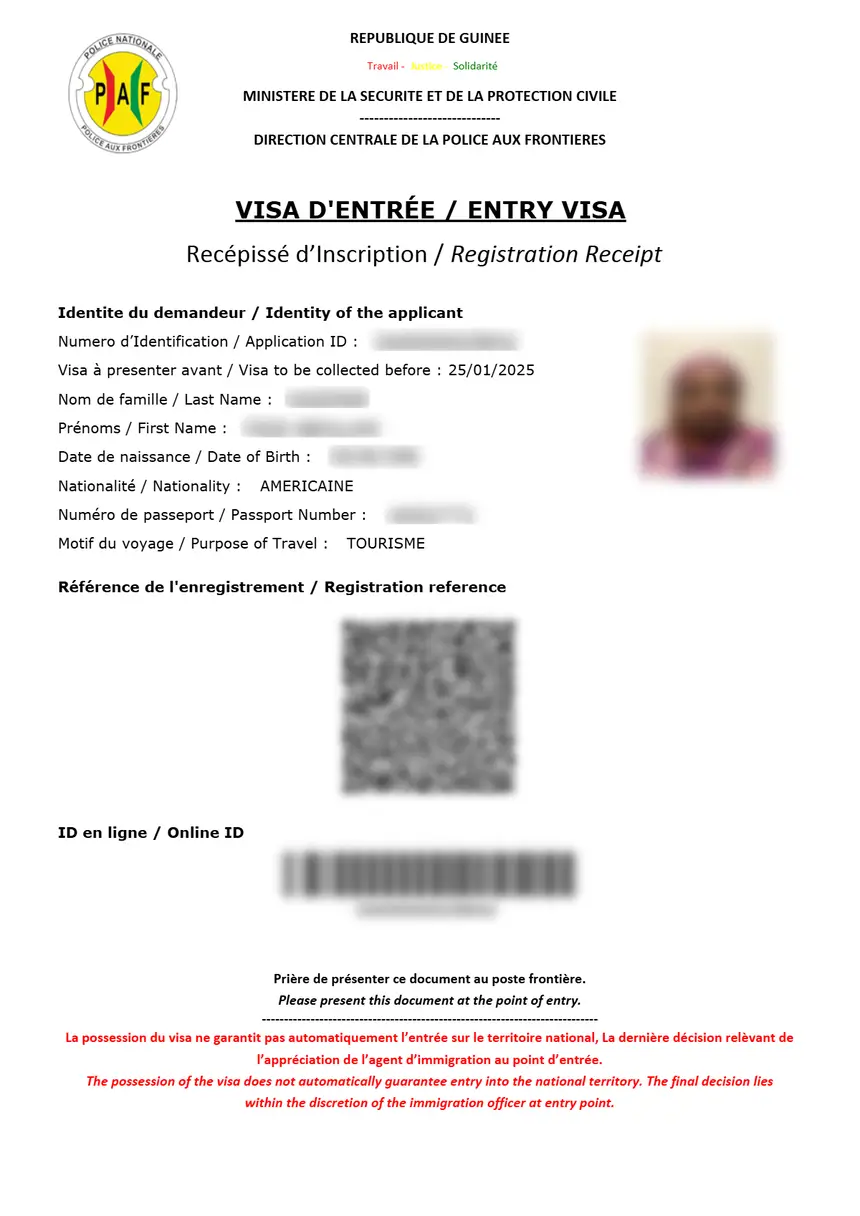
To print the Guinea eVisa in 2026, download the approval letter (PDF) from your email or the PAF Guinea portal using your reference number. Print it on A4 paper in portrait at 100% scale; a physical copy is mandatory for border control.
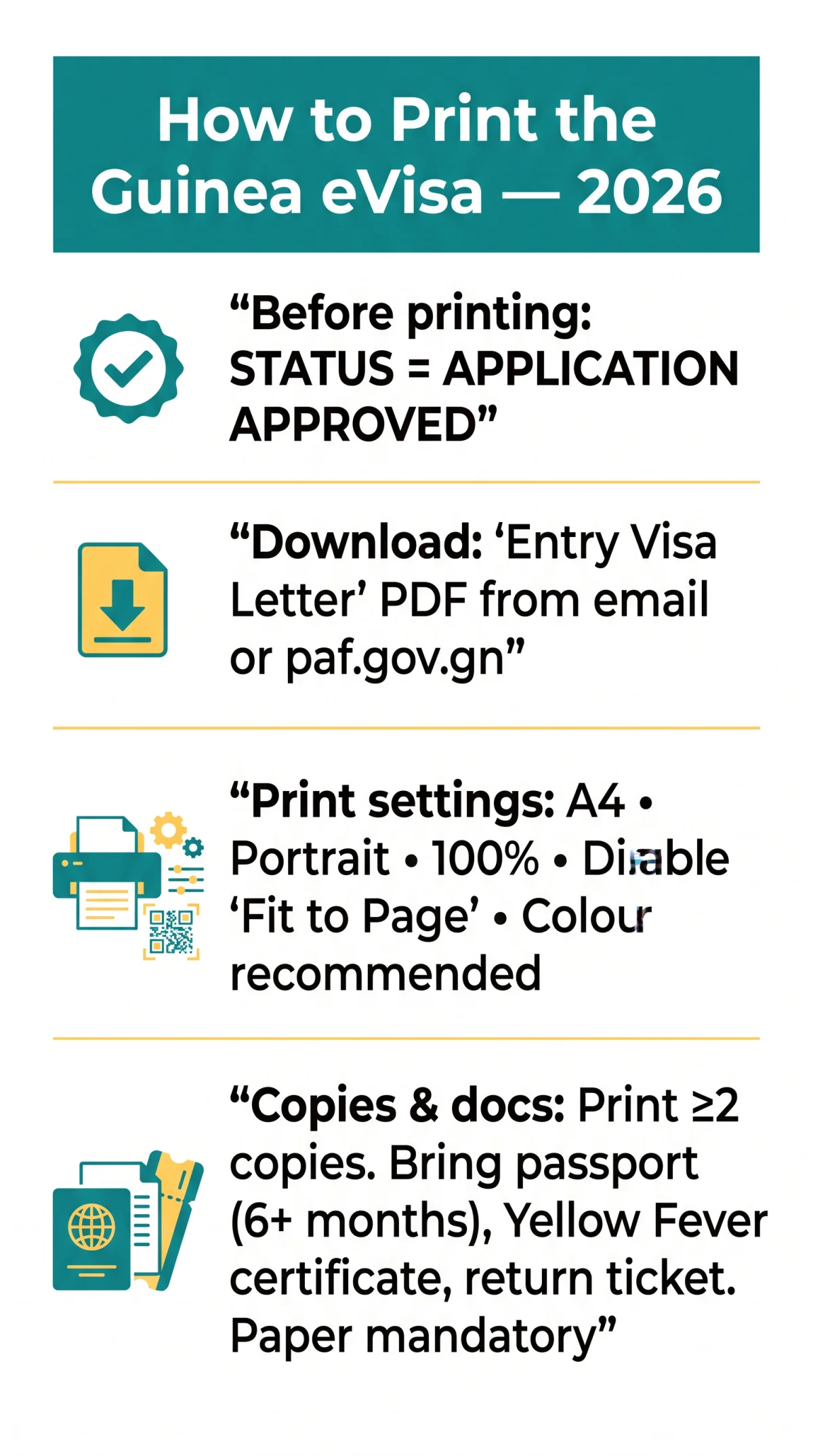
For the Republic of Guinea (Conakry) only, not Equatorial Guinea or Papua New Guinea. Ensure your application status reads “APPLICATION APPROVED” before downloading the PDF file.
Ahmed Sékou Touré International Airport requires a paper Guinea eVisa printout; digital copies on phones are rejected. Present it with your passport, Yellow Fever certificate, and return ticket for the biometric visa sticker.
Downloading Your Guinea eVisa from Email or the PAF Portal
Retrieve your Guinea eVisa PDF from the confirmation email or log in to the PAF portal with your reference number.
Check your email inbox
Look for a message from PAF Guinea containing the “Entry Visa Letter” PDF attachment. If missing, check your spam or junk folders (Gmail: “All Mail” or “Spam”; Outlook: “Junk Email” or “Archive”; Yahoo: “Spam”).
Log in to the PAF portal
Go to paf.gov.gn using your reference number and account credentials. Confirm your status reads “APPLICATION APPROVED” before downloading the PDF.
Printing Your Guinea eVisa: Required Settings and Copies
Print your Guinea eVisa on A4, portrait, 100% scale, making at least 2 copies for your trip. Open the Guinea eVisa PDF and set your printer to A4, portrait, 100% scale, disabling any “fit to page” option that could shrink the QR code. Colour printing is strongly recommended; black-and-white is acceptable only if the QR code and barcode remain perfectly scannable. Print a minimum of 2 copies: one for the PAF eVisa counter and one backup for airline check-in or hotel registration.
If the QR code appears too small, open Adobe Acrobat Reader, go to Print, Page Sizing and Handling, and select “Actual Size” (not “Fit”).
Presenting Your Printed eVisa at Conakry Airport
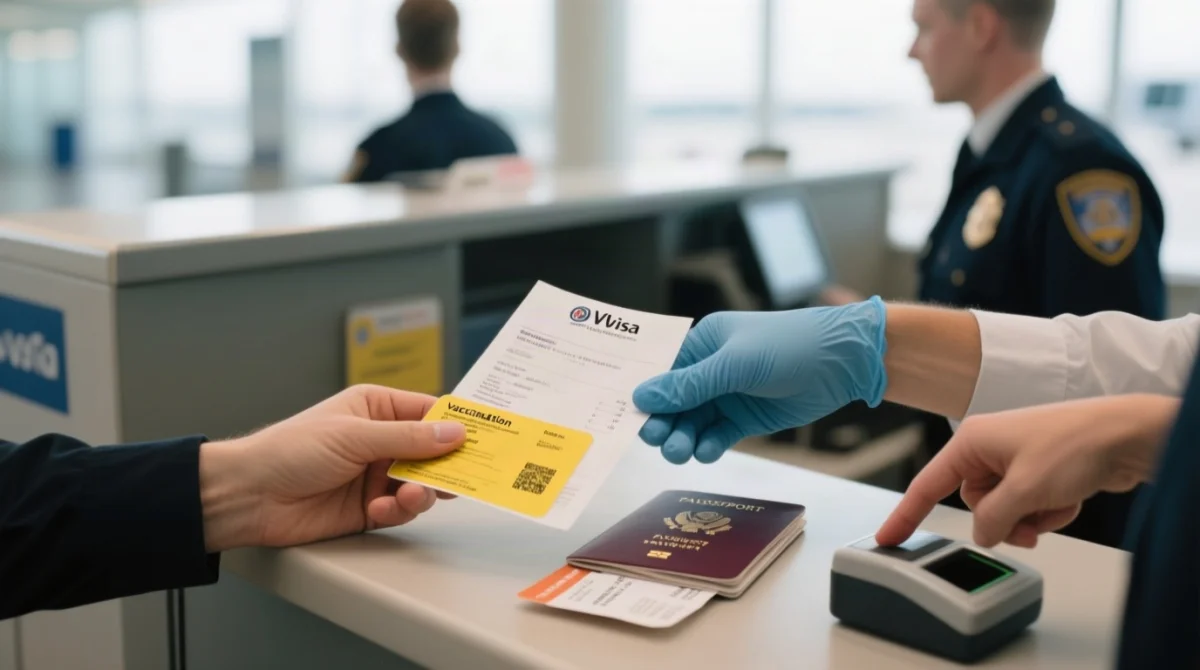
- Present the printed Guinea eVisa at the PAF eVisa counter alongside a passport valid for 6 months or more from the entry date.
- Border officials capture the applicant photo and fingerprint at the enrolment counter, then affix a biometric visa sticker to the passport.
- The physical Guinea eVisa printout is surrendered and retained by officers; a digital copy on a phone screen is not accepted.
- Carry the International Yellow Fever Certificate of Vaccination and a return or onward ticket as mandatory companion documents.
FAQ
What paper size should I use to print the Guinea eVisa?
A4, portrait, 100% scale. Disable “fit to page” to prevent QR code shrinkage and ensure full text visibility.
Can I print the Guinea eVisa in black and white?
Colour printing is strongly recommended because it preserves the clarity of your photo and security elements. A high-contrast black-and-white printout is acceptable only if the QR code and barcode remain clearly scannable.
How many copies of the Guinea eVisa should I print?
Print at least 2 copies. Surrender one to border control at the PAF eVisa counter. Keep a second as a backup for airline check-in or hotel registration, and store a third separately in your luggage.
What if I lose my Guinea eVisa confirmation email?
Check your spam or junk folders using keywords like “PAF” or “Entry Visa Letter”. If you cannot locate it, log directly into the PAF Guinea portal using your reference number to download and print the PDF.
Can I show the Guinea eVisa on my phone at the border?
No, a physical paper printout is mandatory. Border officials at Ahmed Sékou Touré International Airport do not accept digital copies displayed on phone or tablet screens.
What happens if my Guinea eVisa has incorrect details?
Contact PAF Guinea support with your reference number. Travelling with an incorrect document will result in border rejection and denial of entry.
How do I check my Guinea eVisa status before printing?
Log into the PAF Guinea portal with your reference number and credentials. Look for the status code “APPLICATION APPROVED”. If it reads “UNDER REVIEW”, wait for the approval notification.
Is the Guinea eVisa the same as the Equatorial Guinea eVisa?
No, this guide covers the Republic of Guinea (Conakry) only. Equatorial Guinea and Papua New Guinea operate under entirely separate national eVisa systems, with different application portals, procedures, and governing authorities.