The Guinea eVisa digital photo requirements mandate 35 × 45 mm (413 × 531 px at 300 DPI), JPEG format, plain white background, taken within the last six months, uploaded to the paf.gov.gn portal. Common Guinea eVisa photo rejection causes include wrong background, incorrect head proportions, and file-size violations.
Last updated: 9 September 2026. This is an unofficial informational guide for UK travellers. Always verify current specifications on the Guinea eVisa portal at paf.gov.gn before applying.
Guinea eVisa Photo Size & File Specifications
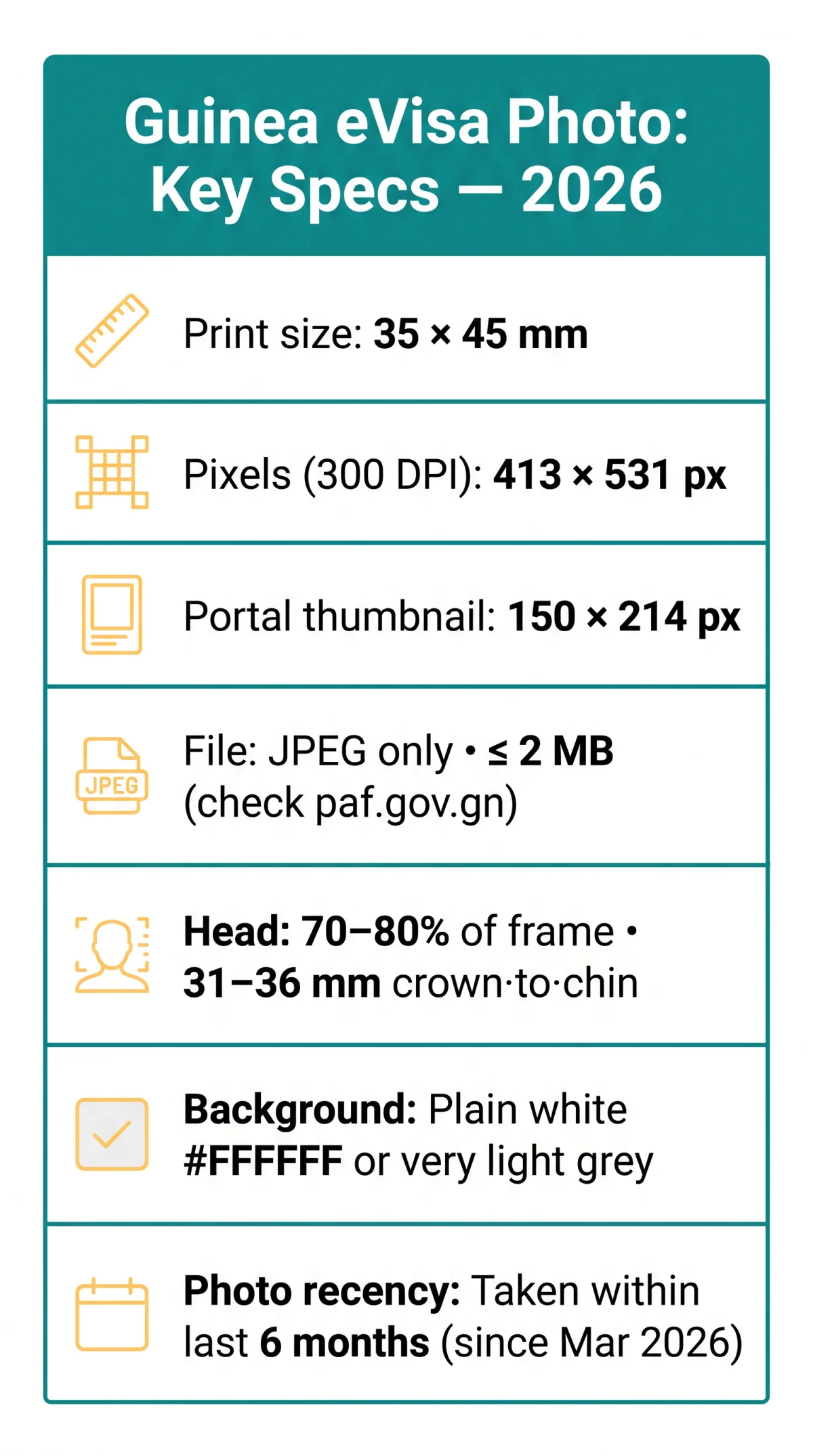
The Guinea eVisa digital photo must measure 35 × 45 mm (413 × 531 px at 300 DPI) in JPEG format, with a typical upload limit of ≤ 2 MB (check paf.gov.gn for the exact current limit). Only JPEG (.jpg/.jpeg) is accepted; PNG, TIFF, and BMP are rejected during upload. The portal accepts a thumbnail size of 150 × 214 px for online submission, while the high-resolution print equivalent remains 413 × 531 px at 300 DPI.
Additional Guinea eVisa digital photo requirements: aspect ratio 7:9 (portrait), RGB 24-bit true colour, ≥ 300 DPI. Retouching, filters, and image alteration are prohibited.
Resize
Resize to 413 × 531 px
Export as JPEG
Save in JPEG (.jpg/.jpeg) format
Compress
Compress to ≤ 2 MB
Free tools include FreePassPhoto (free, AI check, photos auto-deleted after 60 minutes, 99.9% reported acceptance rate) and VisaReadyNow (68-point landmark scan, under 30 seconds, full refund if rejected). Avoid over-compression, which causes pixelation and rejection.
Background & Facial Requirements
Background: #FFFFFF (white) or very light grey; no patterns, textures, or shadows behind the head. The Guinea eVisa digital photo requirements reject off-white hues and mottled gradients.
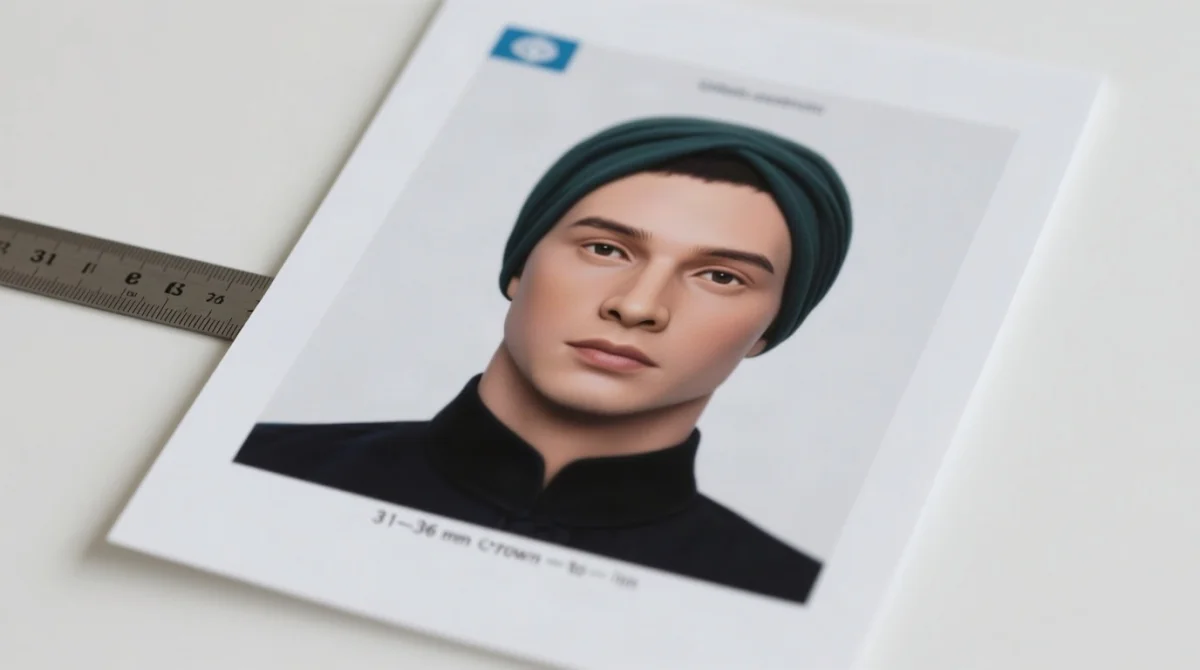
Head: 70-80% of frame height (31-36 mm crown to chin), centred, straight, no tilt or turn. Neutral expression: mouth closed, both eyes open, looking directly at camera. No hair covering eyes or eyebrows. Even illumination on both sides of the face; no harsh shadows under nose, chin, or on background.
Sunglasses prohibited. Prescription glasses: remove if possible; if medically necessary, no glare/reflection, both eyes fully visible. Tinted lenses prohibited. Religious headwear (hijab, turban, yarmulke) permitted if full face remains visible from hairline to chin and ear to ear, per ICAO Doc 9303. No fabric may cast shadows on the face. Clothing must contrast with the light background; avoid white or light-coloured shirts. Military or uniform-style clothing not permitted.
Common Rejection Reasons & Troubleshooting
Guinea eVisa photo rejection causes: non-white background, wrong head size, shadows, incorrect file format. Any single failure triggers automated rejection on the paf.gov.gn portal.
| Rejection Reason | Cause | How to Fix |
|---|---|---|
| Wrong background | Patterns, textures, or off-white hues | Re-shoot against plain white (#FFFFFF) or very light grey |
| Incorrect head size | Head outside 70-80% of frame | Adjust crown-to-chin to 31-36 mm |
| Facial shadows | Uneven illumination | Use diffused light on both sides of face |
| Non-neutral expression | Smiling or open mouth | Re-take with mouth closed, eyes open |
| Wrong file format | PNG, TIFF, or BMP uploaded | Convert to JPEG only |
| File size too large | Exceeds portal limit | Compress JPEG to ≤ 2 MB |
| Photo older than 6 months | Outdated image | Take a new photo within last 6 months |
| Glasses obstruction | Tinted lenses or glare | Remove all glasses before photographing |
Portal errors: “File too large” requires JPEG compression to ≤ 2 MB; “Image dimensions incorrect” demands resizing to 150 × 214 px (portal thumbnail) or 413 × 531 px at 300 DPI (high-resolution); “File format not supported” requires conversion to JPEG; “Photo not clear” requires re-taking with better lighting.
Additional Guidelines & Quick-Reference Checklist
Verify all items below before upload. Carry 2-3 printed copies (35 × 45 mm) for arrival: immigration at Ahmed Sékou Touré International Airport, Conakry, may request them.
- Dimensions: 35 mm × 45 mm, portrait, 7:9 aspect ratio; do not crop or stretch.
- Pixels: 413 × 531 px at 300 DPI; portal thumbnail accepts 150 × 214 px.
- Background: Plain white (#FFFFFF) or very light grey, uniform.
- Format: JPEG (.jpg/.jpeg); PNG, TIFF, BMP rejected.
- File size: ≤ 2 MB; check paf.gov.gn for exact limit.
- Head: 70-80% of frame; crown-to-chin 31-36 mm.
- Expression: Neutral; mouth closed, eyes open, no smiling.
- Head position: Straight, centred; no tilt or turn.
- Eyewear: No sunglasses; remove all glasses if possible.
- Lighting: Even, shadow-free; both sides illuminated equally.
- Recency: Within last 6 months; for September 2026, no earlier than March 2026.
- Clothing: Avoid white/light tops; ensure contrast with background.
- Retouching: Prohibited; no filters or digital alterations.
- Religious headwear: Permitted; full face visible, chin to forehead (ICAO Doc 9303).
- Printed copies: 2-3 spares (35 × 45 mm) for Conakry Airport immigration.
For infant photos, lay the child on a plain white surface and photograph from directly above; no toys, hands, or support objects in frame. The Guinea eVisa digital photo requirements apply the same 35 × 45 mm specification to children as adults.
UK travellers can obtain compliant Guinea eVisa photos at Reload Internet, 197 Praed Street, Paddington, London, W2 1RH (opposite Paddington Station, tel: 0207 262 4111, walk-in, no appointment needed). For home photos, Reload recommends standing 50 cm from a white wall. Online services include MyBiometricPhotos.com (human review, background removal, money-back guarantee on rejection proof, downloads valid 7 days, encrypted uploads).
The Guinea eVisa application also requires a yellow fever vaccination certificate upload, per GOV.UK travel advice. Apply several days in advance of travel.
FAQ: Guinea eVisa Digital Photo Requirements
What size should my Guinea eVisa digital photo be in pixels?
High-res: 413 × 531 px at 300 DPI. Portal upload: 150 × 214 px. Check paf.gov.gn for current specs.
What background colour is required for a Guinea eVisa photo?
Plain white (#FFFFFF) or very light grey, completely uniform. No patterns, textures, shadows, or off-white hues. A non-compliant background is a primary Guinea eVisa photo rejection reason.
Can I wear glasses in my Guinea eVisa photo?
Sunglasses are prohibited. Prescription glasses may be allowed if no glare/reflection and both eyes fully visible. Safest approach: remove all glasses before taking the photo.
How recent must my Guinea eVisa photo be?
Taken within the last six months, reflecting current appearance. For a September 2026 application, no earlier than March 2026. Significant appearance changes may also cause rejection.
What file format does the Guinea eVisa system accept?
JPEG/JPG only. PNG, TIFF, BMP, and other formats are rejected during upload. Converting to JPEG is mandatory.
What is the maximum file size for uploading a photo to the Guinea eVisa portal?
Typically ≤ 2 MB. The exact limit on paf.gov.gn may vary: check the upload page before submitting. If too large, compress using a JPEG optimiser.
Why was my Guinea eVisa photo rejected?
Most frequent reasons: non-white background, incorrect head proportions (must be 70-80% of frame), visible shadows, unnatural expression, non-JPEG format, exceeding file size limit, or photo older than six months. See the rejection table above for fixes.
Do I need to bring printed copies of my photo to Guinea?
The eVisa application requires only a digital upload. However, carry 2-3 printed copies (35 × 45 mm) in hand luggage: immigration officers at Conakry’s Ahmed Sékou Touré International Airport may request them on arrival.
Can my Guinea eVisa photo show me wearing a headscarf or religious head covering?
Yes, religious head coverings are permitted provided the full face remains completely visible from the hairline to the chin and from ear to ear. No fabric may cover or cast shadows on any part of the face, consistent with ICAO Doc 9303.
What happens if my photo does not meet Guinea eVisa requirements?
Your application may be rejected or delayed. Ensure your biometric photo meets every specification before uploading to the paf.gov.gn portal. Use the checklist above to verify compliance.