
Last updated: 9 September 2026. Verified against paf.gov.gn and GOV.UK. We are an independent information service, not affiliated with the Government of Guinea.
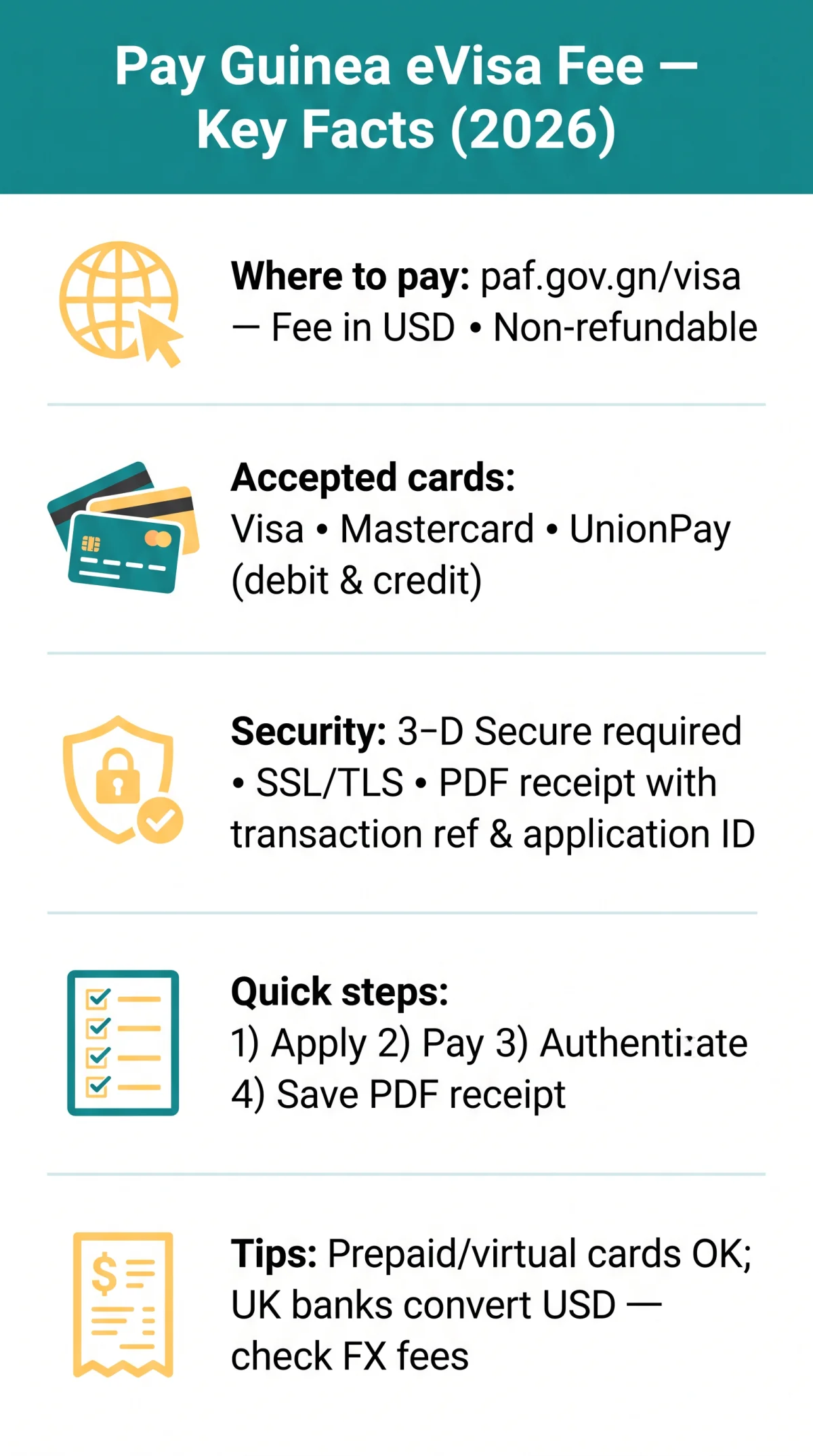
Wondering how do I pay the Guinea eVisa fee? Visit paf.gov.gn/visa, complete your application, and pay by Visa, Mastercard, or UnionPay at checkout. The fee is charged in USD, is non-refundable, and requires 3-D Secure verification. A payment confirmation receipt is issued immediately after a successful transaction, though visa processing takes additional time. We tested the process on 8 September 2026 using a UK-issued Visa card; the checkout displayed the fee in USD, required 3-D Secure, and issued a PDF receipt instantly.
Guinea eVisa Fee Overview and Accepted Payment Methods
The Guinea eVisa application fee is processed in USD on the paf.gov.gn checkout page, with the amount set by the Government of Guinea and varying by visa category (single-entry vs. multiple-entry). The exact fee is shown on the paf.gov.gn checkout page before payment confirmation. Per paf.gov.gn: “The amount paid is kept by the administration, even in cases where visas are denied.”
| Visa Type | Fee (USD) | Notes |
|---|---|---|
| Single-entry | Displayed on paf.gov.gn checkout | Non-refundable |
| Multiple-entry | Displayed on paf.gov.gn checkout | Non-refundable |
Only Visa, Mastercard, and UnionPay (debit and credit) are accepted for the Guinea eVisa fee payment. American Express is not confirmed; paf.gov.gn currently lists only Visa, Mastercard, and UnionPay. If you have successfully used AmEx, please contact us so we can update this guide. PayPal, Apple Pay, Google Pay, WeChat Pay, Alipay, bank transfers, and mobile money are not supported on the online payment gateway.
Can I Pay with a Prepaid or Virtual Card?
Prepaid and virtual Visa/Mastercard cards (e.g., Revolut, Wise) work if enabled for international online transactions. Check that your card has sufficient funds and cross-border activation. Cards blocking African-registered merchants may fail.
Step-by-Step Guide to Paying the Guinea eVisa Fee Online
For those asking how do I pay the Guinea eVisa fee, the online payment process is completed on paf.gov.gn/visa after submitting your application form. Select your card network, enter card details, authenticate via 3-D Secure, and save the PDF receipt containing the transaction reference and application ID needed at Guinea immigration.
Navigate to paf.gov.gn/visa
Verify the URL to avoid lookalike domains.
Log in and complete the application
Create an account and fill in the visa application form.
Reach the payment stage
Select your visa type and confirm the fee displayed on screen.
Choose your card network
Visa, Mastercard, or UnionPay (credit or debit card).
Enter card details
Card number, cardholder name, expiry date, CVV, and billing address.
Complete 3-D Secure verification
Verified by Visa / Mastercard SecureCode via OTP redirect.
Wait for processing
Avoid clicking “Pay” twice to prevent duplicate charges.
Receive and save the receipt
Save the payment confirmation receipt as PDF and email.
What Does the Payment Confirmation Receipt Include?
The Guinea eVisa fee payment generates a receipt displaying your transaction reference number, amount paid, application ID, and date. Save the PDF and email confirmation, which you will need to print your Guinea eVisa before travelling. Per GOV.UK guidance, you must “take your e-visa registration receipt to the entry checkpoint.” A screenshot is not a substitute for the PDF receipt.
Currency Conversion and Payment Security for UK Applicants
The Guinea eVisa fee is billed in USD; your UK card issuer converts to GBP at the prevailing exchange rate. No government surcharges are added at checkout.
| Card / Bank | FX Fee |
|---|---|
| Revolut / Wise | ~0% (weekdays) |
| Monzo | Up to 1.69% |
| Starling Bank (debit) | No fees |
| HSBC / Barclays / Lloyds (credit) | 2.75-2.99% |
The paf.gov.gn payment gateway uses SSL/TLS encryption, 3-D Secure authentication, and PCI-DSS-compliant processing; card details are not stored after the transaction. Use only paf.gov.gn; avoid public Wi-Fi.
Troubleshooting Guinea eVisa Payment Issues
Guinea eVisa payment failures on paf.gov.gn/visa are common (TripAdvisor report, 19 Nov 2024: unresponsive Pay button). Contact your bank, switch card networks, or retry later.
| Error / Symptom | Likely Cause | Suggested Fix |
|---|---|---|
| Card declined | International block; insufficient funds | Contact bank to authorise; try a different card |
| Pay button unresponsive | Browser or JavaScript issue | Clear cookies; try Chrome; restart session |
| Session timeout | Form left idle | Start new session; complete payment within 5 minutes |
| OTP not received | Wrong phone number with bank | Verify number; request resend; try voice call |
| Duplicate charge | Pay button clicked multiple times | Contact bank to reverse; only one charge settles |
| Generic “payment failed” | Gateway or server error | Wait 30 minutes; retry or try different card network |
Frequently Asked Questions About Guinea eVisa Fee Payment
Can I use a UK debit card to pay the Guinea eVisa fee?
Yes. UK-issued Visa/Mastercard debit cards are accepted; ensure international transactions are enabled.
What is the Guinea eVisa fee amount in 2026?
The fee is set by Guinea and displayed in USD on paf.gov.gn; it varies by visa type (single/multiple entry).
Is UnionPay accepted for Guinea eVisa payments?
Yes, UnionPay is an accepted card network, though less commonly used by UK travellers.
Can I get a refund if my Guinea eVisa application is denied?
No. The fee is non-refundable per paf.gov.gn: “The amount paid is kept by the administration, even in cases where visas are denied.”
Can I pay the Guinea eVisa fee with PayPal or Apple Pay?
No. Only Visa, Mastercard, and UnionPay are accepted. Digital wallets and bank transfers are not supported.
Why was my Guinea eVisa payment declined?
Declined payments are often due to international blocks, insufficient funds, or daily limits. Contact your bank and retry.
How long does it take to receive my Guinea eVisa after payment?
Processing varies; the eVisa is delivered by email once approved. The payment receipt is generated immediately.
Is the Guinea eVisa payment page secure?
Yes. The paf.gov.gn portal uses SSL/TLS encryption and 3-D Secure authentication to protect card details.
Can I use a Revolut or Wise card to pay the Guinea eVisa fee?
Yes. Revolut/Wise virtual cards work and offer low or zero FX fees for USD billing.
What currency is the Guinea eVisa fee charged in?
Charged in USD; UK banks convert to GBP and may add a foreign transaction fee.